Can You Drive with Bad Brake Rotors?
Editorial method: This guide reflects a visual brake inspection, low-speed road-test observation, and thickness-check workflow aligned with OEM service-manual practice: inspect pad life and rotor faces together, measure rotor thickness with a micrometer or vernier caliper, compare to the vehicle’s minimum thickness specification, and treat grinding, cracking, brake warning lights, or brake pull as urgent safety issues. Safety guidance is consistent with manufacturer service information and public safety sources such as NHTSA and related brake-system advisories.
You can sometimes drive a short distance with mildly bad brake rotors, but if braking feels weak, the steering wheel shakes hard, or you hear grinding, stop driving and have it towed. Ignoring bad rotors can lengthen stopping distances, damage pads and calipers, and turn a repair into a bigger brake job. This guide explains the symptoms, a simple do-not-drive checklist, and when short local driving may still be acceptable.
What brake rotors do
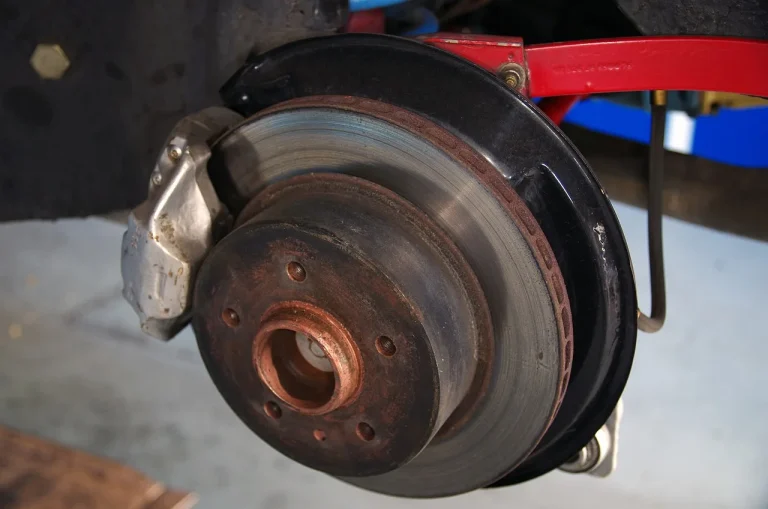
Brake rotors are disc-shaped friction surfaces that brake pads clamp onto at each wheel. They sit on the front axle, rear axle, or both, and their job is to turn moving energy into heat so the vehicle can slow down.
That heat has to go somewhere. Rotors also help move heat away from the pad contact area, which is why thickness, surface condition, and pad fit matter so much. If a rotor gets too thin or too damaged, it cannot manage heat or friction the way it should.
Rotor and pad contact
Brake pads carry the friction material. When you press the pedal, the pads squeeze the rotor on both sides. The contact should be smooth and even, without deep grooves, heavy scoring, or metal-on-metal contact.
Front and rear rotor roles
Front rotors often do more work because weight shifts forward during braking. Rear rotors still matter, though. A rear rotor problem can cause pulling, uneven braking, or a longer stop, even if the front brakes still feel normal.
Why thickness matters
Rotor thickness is not a guess. Most manufacturers list a minimum thickness spec for rotors in the service manual, and that number is commonly used to judge whether the rotor can stay in service, be resurfaced, or should be replaced. A caliper or micrometer is the right tool for that check, and the safe rule is simple: if the rotor is at or below minimum thickness, replace it rather than trying to “make it work.”
Brake rotor drive table
Use this as a quick triage guide. It separates symptoms that may allow only short local driving from symptoms that call for stopping now. For brake safety, treat warning lights, grinding, visible cracks, and overheating as high-risk conditions rather than cosmetic issues; NHTSA and OEM service information consistently emphasize that brake-system warnings and structural rotor damage deserve immediate attention.
| Symptom | Recommended next step | Urgency | Likely consequence of waiting |
|---|---|---|---|
| Normal noise, light surface rust after sitting, no vibration | Drive normally, then schedule an inspection if the noise stays or returns | Low | Rust or light wear may clear off; ongoing noise can point to pad wear or early rotor wear |
| Mild vibration or light brake pedal pulsation only during gentle stops | Limit driving to short local trips and arrange service soon | Moderate | Stopping distance may grow, and rotor wear can worsen if the surface is uneven or thin |
| Strong pulsation, steering wheel shake, or judder during braking | Stop nonessential driving and have the brakes inspected as soon as possible | High | Heat and wear can increase, and the rotor may be too warped, scored, or thin to reuse |
| Grinding, visible cracks, overheating smell, or blue discoloration | Do not keep driving; tow the vehicle | Critical | Rotor failure can get worse quickly, pads may be destroyed, and braking power can drop sharply |
| Pulling during stops, brake warning light, or a soft or low pedal | Stop driving and inspect for brake system trouble before moving again | Critical | These signs can point to uneven braking, major pad wear, hydraulic trouble, or severe rotor damage |
Can you drive with bad brake rotors?
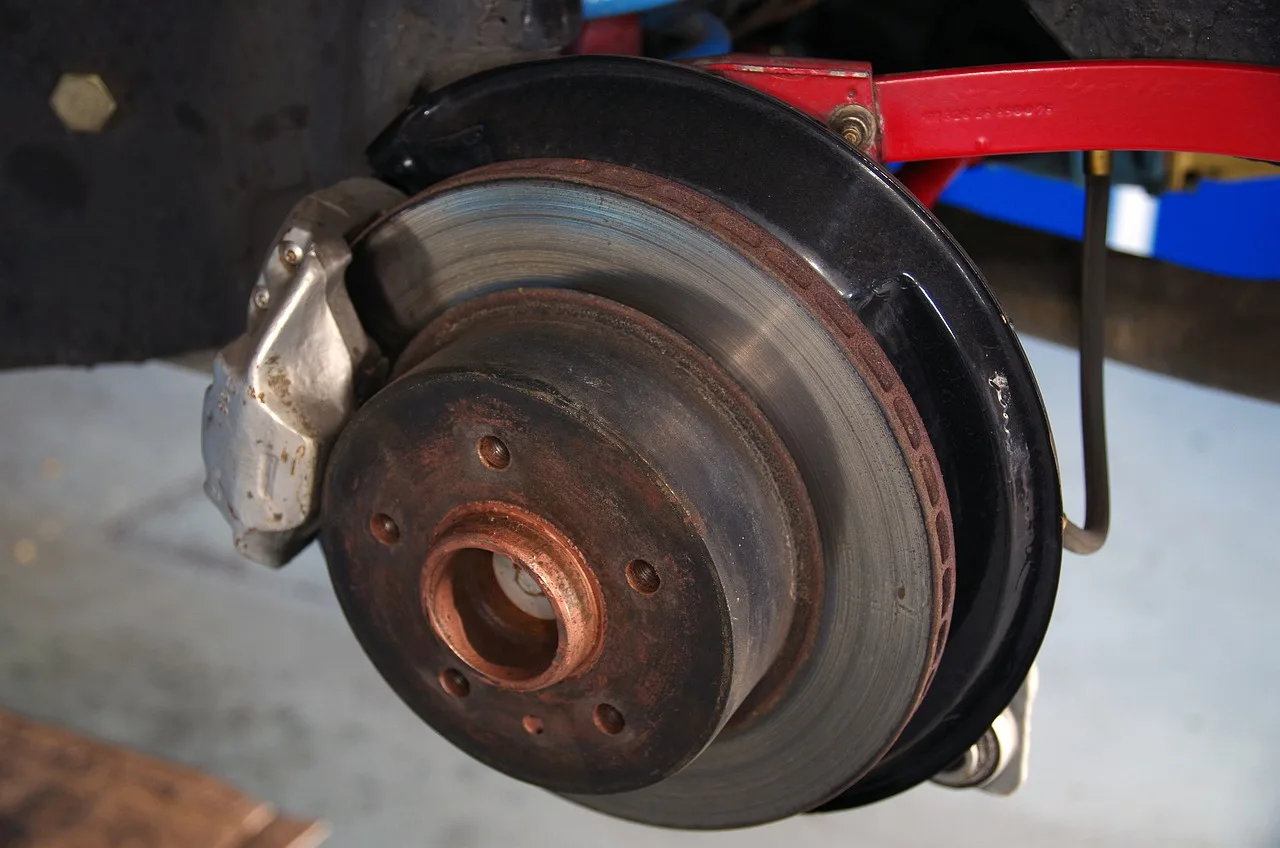
You can sometimes drive a short distance with mildly bad brake rotors, but only if braking still feels predictable and the problem is limited to light vibration or minor noise. If the pedal pulses hard, the car pulls, or you hear grinding, do not treat it as a normal condition. OEM service guidance generally treats grinding, cracking, and brake-warning behavior as stop-and-inspect conditions, not “wait and see” issues.
The key question is not whether the car still moves. It is whether it can stop safely in traffic, in wet weather, or at the end of a downhill stretch. If the answer is uncertain, short local driving is the most you should consider before service.
When short driving may be possible
Short local driving may be reasonable when the rotor issue seems mild, the vehicle still stops in a straight line, and there is no grinding, warning light, or overheating. That means a quick trip to a shop, not a long commute or a road trip.
When you should stop driving now
Stop driving now if the rotor damage is paired with grinding, visible cracks, strong pulsation, overheating, a soft pedal, or pulling during stops. Those symptoms suggest the brakes are no longer working in a controlled way, and waiting can make the repair more expensive. Public safety guidance and service manuals both support immediate inspection when a brake warning light appears or when the braking system shows structural damage or major loss of performance.
Why highway, hills, and towing raise the risk
Highway driving gives you less time and distance to react if braking weakens. Hills, repeated stops, and towing add heat. That heat can push worn rotors into brake fade, which means reduced braking performance and a longer stopping distance when you need the brakes most. The risk rises because the brakes have less time to cool between stops and more work to do per stop.
Say your sedan develops a light steering wheel shake only on the last few feet of a stop, and the brakes still feel firm. A short trip to a repair shop may be reasonable. Suppose that same shake becomes a hard pulse on a downhill road. That is a tow, not a test drive.
What happens if you keep driving?
Continued driving with bad brake rotors can increase stopping distance, raise brake temperatures, and damage pads faster. If the rotor surface is already uneven or too thin, every stop can make the contact pattern worse and reduce braking consistency.
Stopping distance can grow
Bad rotors do not always fail all at once. The first change is often less consistent braking, followed by a longer stop under the same pedal pressure. That matters most in traffic, in rain, and when you need an emergency stop.
Heat buildup can cause brake fade
Brake fade happens when repeated braking overheats the system and reduces its ability to slow the vehicle. It is more likely during downhill driving, stop-and-go traffic, or towing. A hot rotor can still turn, but it may not stop the car with the same force. Public safety sources describe brake fade as a serious performance loss, not a nuisance symptom, because braking effectiveness can drop before the driver expects it.
Pads and rotors can both wear faster
Brake pads should press evenly against the rotor. If the rotor is grooved, scored, or thickness-variant, the pads can wear unevenly and faster than normal. In severe cases, worn pads can also damage the rotor surface further and lead to caliper trouble.
Brake rotor symptoms and causes
Not every brake symptom means the same thing. Some signs point to pad wear, some to rotor damage, and some to other brake hardware issues. The pattern matters more than a single noise.
Pulsation, shake, and judder
Brake pedal pulsation, steering wheel shake, and judder during braking are classic rotor-related symptoms. They often point to thickness variation, runout, or a surface that no longer contacts the pads evenly. A vibration by itself does not prove a warped rotor, though.
Grooves, scoring, and rust
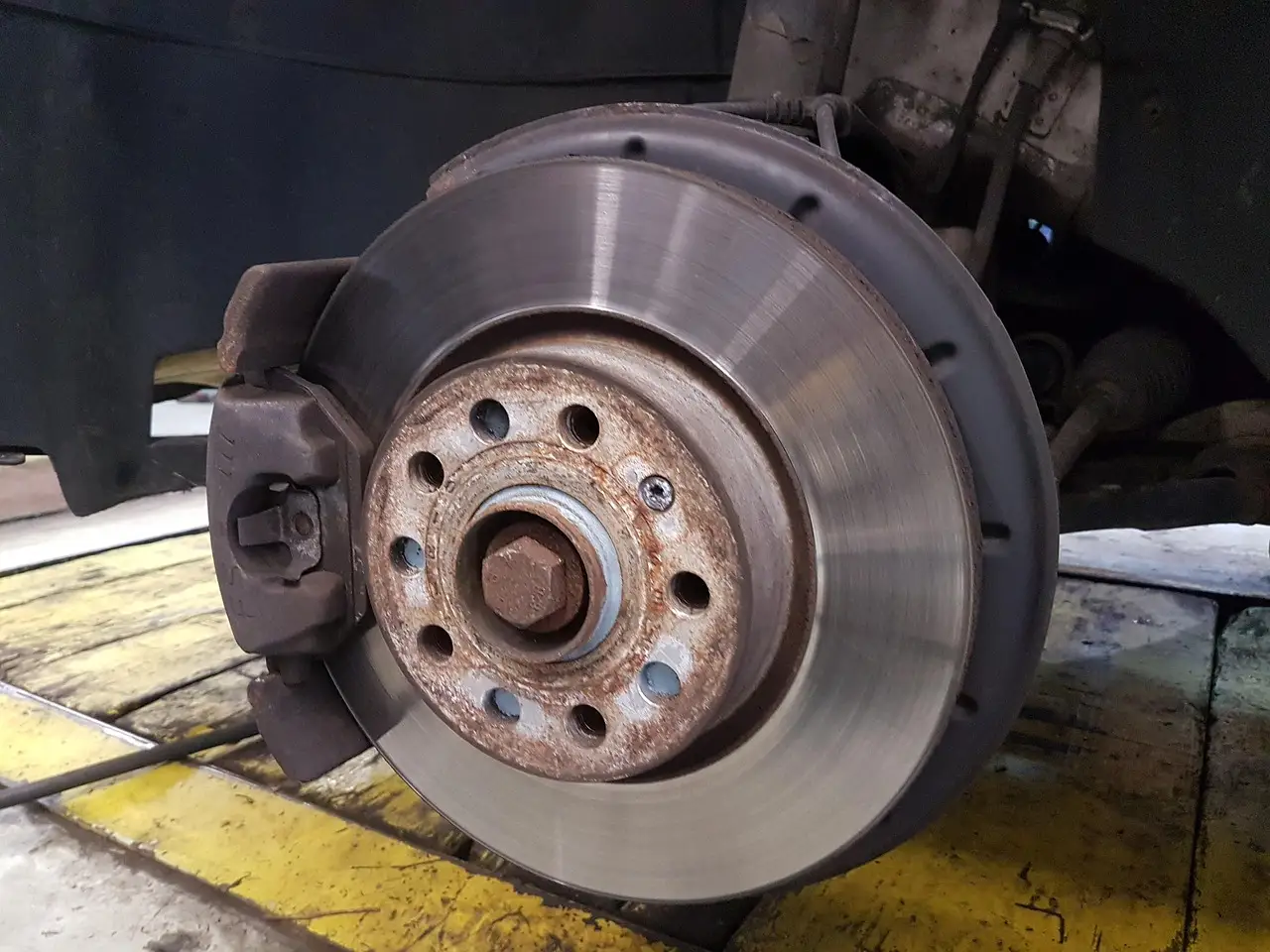
Grooves and scoring are wear patterns on the rotor face. Light rust buildup can happen after rain or long parking and may clear after a few stops. Deep grooves or heavy scoring are different; they can hurt braking feel and usually need service.
Thickness variation and cracks
Thickness variation can cause pulsing because the pads grab differently as the rotor turns. Cracks are more serious. Small surface cracks may still call for replacement, and larger or spreading cracks are a stop-driving issue because the rotor can fail under load. OEM repair guidance is generally conservative here: a cracked rotor is not something to “monitor” for long.
A common first-timer mistake is blaming every shake on a warped rotor. Worn pads, rotor thickness variation, loose brake hardware, and suspension issues can all create similar symptoms. That is why inspection matters before parts are replaced.
When should rotors be inspected?
Inspect rotors as soon as you notice pulsation, grinding, pulling, or a change in braking feel. A quick road test, a visual check through the wheel, and a thickness measurement can separate a minor issue from a do-not-drive problem.
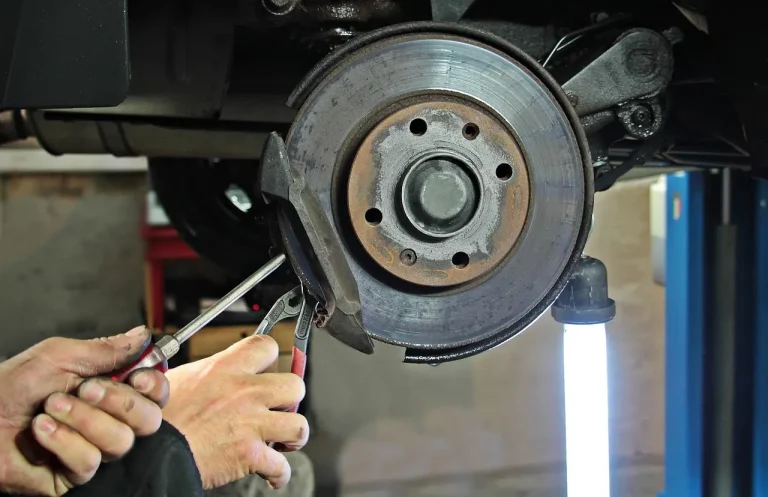
- Look through the wheel for grooves, scoring, rust buildup, or cracks.
- Test the brakes at low speed for pulsation, shake, judder, or pulling.
- Measure rotor thickness with a caliper or micrometer.
- Compare the measurement to the manufacturer’s minimum thickness spec.
- Check pad life at the same time, since worn pads can damage the rotor surface.
Measure rotor thickness
Rotor thickness decides more than surface appearance does. A rotor can look usable and still be below minimum thickness. Once it is too thin, replacement is the usual answer, even if resurfacing would remove the visible grooves. In practice, the minimum-thickness number is the hard stop; if resurfacing would take the rotor under that spec, it should be replaced instead of machined.
Minimum thickness: resurface vs. replace
Most OEM service manuals specify both a nominal thickness and a minimum discard thickness. As a practical rule, a rotor that is above minimum thickness, free of cracks, and otherwise within service limits may sometimes be resurfaced if the vehicle design allows it. If it is already close to minimum, heavily grooved, heat-damaged, or crack-prone, replacement is usually the safer option. When the rotor is at or below the discard spec, do not resurface it.
Check pad life at the same time
Pads and rotors wear together. If the pads are near the wear limit, replacing the rotor alone does not fix the whole brake problem. Worn pads can also trigger squealing or grinding noises that get mistaken for rotor trouble.
Inspect through the wheel and road test
A visual check can catch obvious cracking, rust, or heavy scoring. A road test shows how the problem behaves under load. Put those together, and you get a much better answer than sound alone can provide.
Frequently asked questions
What happens if you drive with bad brake rotors?
The most likely result is weaker or less consistent braking, especially during repeated stops. Heat can build, stopping distance can grow, and the rotor surface can wear faster. In severe cases, the pads and calipers can also take damage, turning a rotor job into a larger repair.
How long can you drive with bad brake rotors?
There is no single mileage number that is safe for every case. A lightly worn rotor may allow a short drive to a shop, while a cracked rotor or grinding noise means you should not drive at all. The right limit is based on symptoms, not a fixed number.
Can you drive with bad brake pads and rotors?
If both pads and rotors are worn, the risk is higher than with a rotor problem alone. Worn pads can squeal or grind, and they can damage the rotor face. If braking feels weak, noisy, or uneven, limit driving and arrange inspection right away.
What happens if you keep driving with bad brakes and rotors?
Brake fade becomes more likely, and the vehicle may need more distance to stop. Continued heat and wear can deepen grooves, increase thickness variation, and damage the pads or calipers too. If braking feels unsafe, do not keep testing it on the road.
Can you drive on bad brake rotors?
You might manage a very short, local trip if the symptom is mild and the brakes still work predictably. That is not a green light for highway driving, hills, or towing. If the rotor is cracked, grinding, or overheating, the safer move is to stop driving.