How to Tell If Brake Rotors Are Bad
Bad rotors usually show up as brake pulsation, steering wheel shake, grinding, or visible deep grooves and heat spots; if the rotor is at or below the stamped minimum thickness, replace it. Ignoring the problem can lengthen stopping distance and lead to paying for pads or calipers that were not the real problem. This guide gives a symptom-by-symptom checklist to separate rotor trouble from pad or caliper issues before you visit a shop.
Signs of bad brake rotors
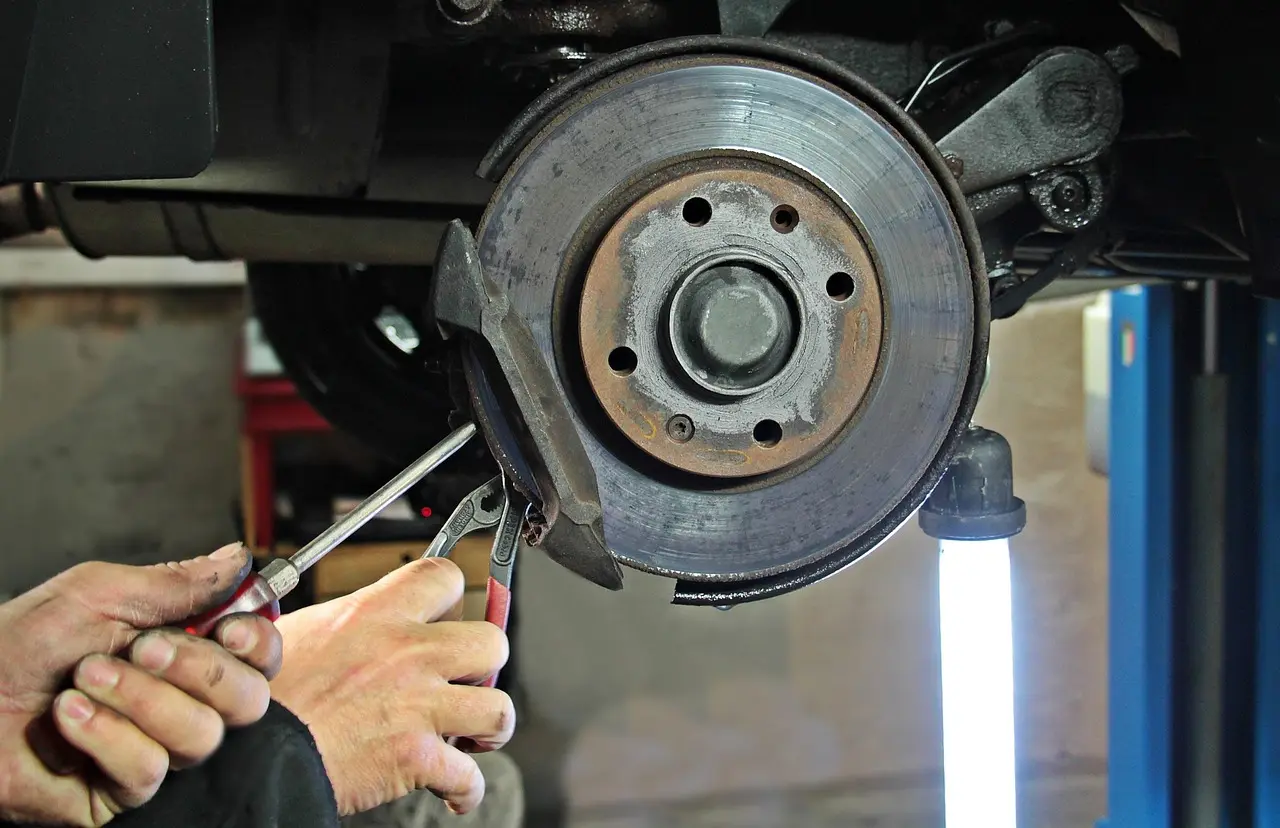
Brake rotors are the disc brake friction surface the pads clamp against. When that surface is uneven, overheated, or corroded, braking feel changes fast. The most useful clues are vibration, pedal pulsation, noise, pulling, and visible damage on the rotor face.
Steering wheel vibration and brake pedal pulsation
Steering wheel vibration during braking usually points to the front rotors, and a pulsating brake pedal often points to uneven rotor wear or thickness variation. A small measurable difference can matter; only about 0.001 inches of thickness variation can cause noticeable vibrations. That is why “warped rotors” is often less precise than rotor thickness variation. (Wikihow)
When the steering wheel shakes as you slow down, inspect the front axle first. When the pedal rises and falls under your foot, the rotor face may be uneven enough that the caliper pushes back differently each revolution. The car can still stop, but the braking feel will not stay smooth.
Grinding, scraping, or squealing during braking
Grinding brakes can happen when pad backing plates contact the rotor. Squealing can also come from wear indicators or from pads that are nearly worn out. Either way, the sound means you should inspect pads and rotors together, because worn pads can damage the rotor surface quickly.
If the brake pads are thin enough for the backing plate to touch metal, the rotor can get scored or grooved. That damage may start as noise and end as longer stopping distance. A rotor with heavy grooves is less likely to recover with just new pads.
Pulling, shudder, and longer stopping distance
A pulling feel while braking can come from a rotor problem, but it can also come from a sticking caliper, a brake hose fault, or uneven pad wear. Increased stopping distance can come from weaker braking, yet that symptom alone does not prove the rotors are the only issue.
Use that clue as a prompt for inspection, not as a diagnosis. If the car pulls and the pedal also pulses, the odds of rotor trouble rise. If the car pulls without pulsation, a caliper, hose, or tire issue may deserve equal attention.
What rotor damage looks like
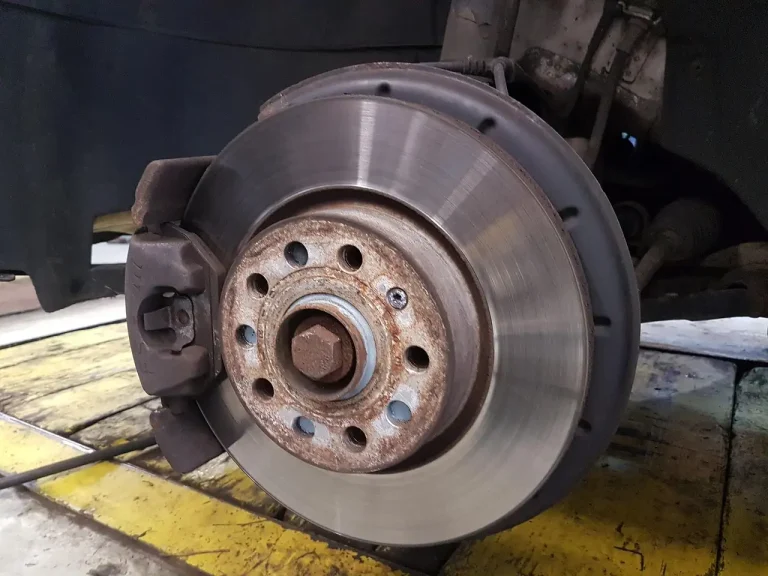
Visible warning signs include grooves, scoring, rust, corrosion, blue discoloration from overheating, and a lip at the outer edge. Light surface rust can appear after rain or overnight parking and may clean off in normal driving. Pitting, heavy scaling, or rust that changes the rotor surface should not be ignored.
Blue coloration matters because it points to prolonged braking and overheating. That does not prove failure by itself, but it does mean the rotor has seen enough heat to deserve a close look. Heat marks paired with pulsation or noise are stronger evidence than rust alone.
📊 wikiHow says rotors are generally replaced after 60-70,000 miles. Source: Wikihow.
Brake rotor decision table
Use this table to separate likely rotor trouble from other brake faults before you book repairs. The “next check” column tells you what to confirm at home and when to involve a shop. If a symptom falls in the stop-driving column, do not wait for the next commute.
| Symptom | Likely rotor issue | Likely non-rotor cause | Next check | Drive status |
|---|---|---|---|---|
| Steering wheel vibration while braking | Front rotor thickness variation or uneven wear | Front tire issue, wheel balance, sticking caliper | Inspect front pads and rotor face through the wheel; book measurement if the shake repeats | Inspect soon |
| Pulsating brake pedal | Uneven rotor wear or measurable thickness variation | ABS operation, caliper fault, brake hose issue | Check for visible scoring, then have rotor thickness measured against the stamped minimum | Inspect soon |
| Grinding during braking | Rotor surface damage from metal contact | Worn pads, backing plate contact, debris in the brakes | Check pad thickness and wear indicators immediately | Stop driving |
| Vehicle pulls left or right under braking | Uneven rotor surface or heat damage on one side | Sticking caliper, hose restriction, tire pull | Compare pad wear side to side and inspect both rotors on that axle | Inspect soon |
| Visible scoring, blue spots, or heavy rust pitting | Rotor surface damage or overheating | Pad wear, road salt corrosion, long storage | Check pad condition and rotor thickness; remove the wheel if the damage is hard to see | Inspect soon |
| Grinding plus very low pads or metal backing plate contact | Rotor damage from pad wear | None likely if the sound is constant under braking | Stop and confirm pad and rotor condition before driving farther | Stop driving |
Read the table as a symptom-to-cause guide, not as a final diagnosis. A bad rotor can coexist with a sticking caliper or worn pads. When more than one symptom appears together, the chance of a rotor-related repair goes up, but the inspection should still include pads, calipers, and hoses.
Front-axle clues are the easiest to spot because steering wheel vibration is usually a sign that your front rotors are damaged. If the wheel shakes while braking and the pedal also pulses, the front rotors deserve first attention. Rear rotors can still be involved, but they usually do not shake the steering wheel as directly.
Front-axle clues from steering wheel shake
Front rotor problems tend to show up through the steering wheel first. That is because the front brakes often do most of the work during deceleration, and the vibration can travel through the steering linkage. If the shake is strongest at moderate braking speeds, the front rotors move higher on the list.
A common first-timer mistake is to blame the steering wheel and overlook the pads. If the front pads are thin and the rotor face is grooved, both parts may need attention. Bad pads can create rotor damage, and the rotor then repeats the problem after the pads are replaced.
Signs that point to rear rotors instead
Rear rotor trouble more often shows up as a seat or body shudder than as steering wheel shake. You may feel the car wobble without much movement at the steering wheel. Rear rotor issues can also show up as a parking brake problem on vehicles where the rear disc carries the parking brake hardware.
If the steering wheel stays steady but the brake pedal pulses, do not rule out the rear axle. Both axles can have uneven wear, and a rear caliper issue can still make the pedal feel wrong. The safest move is to inspect both axles if the symptom is not clearly tied to the front.
When both axles may be involved
Both axles may be involved when the vehicle has high mileage, long brake service intervals, or visible damage on more than one wheel. If the front rotors are grooved and the rear rotors show corrosion or heat spots, a full brake inspection is smarter than replacing one axle and hoping the other is fine.
How to tell if front rotors are bad without guessing: look for steering wheel shake, then confirm with a visual check and a thickness measurement. If you cannot measure at home, a shop can confirm whether the front rotor thickness variation is enough to explain the symptom.
How to tell if brake pads or rotors are bad
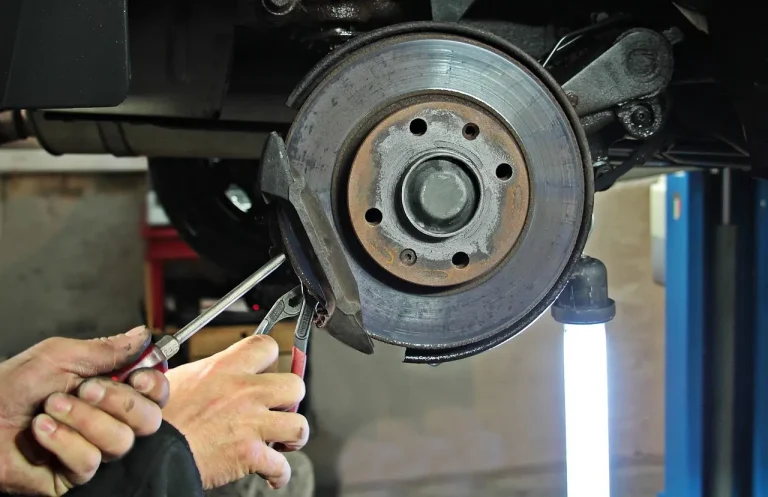
Check pads and rotors together, because pad wear often causes rotor damage. Thin pads, missing friction material, or a visible wear indicator near the rotor point to pad trouble first. If the backing plate is touching the rotor, the noise and damage can become severe quickly.
Pad thickness and wear indicators
Look at the friction material, not just the metal backing plate. If the pad looks thin or the wear indicator is close to the rotor, plan on pad replacement and a rotor inspection. A rotor that already has grooves from low pads may need replacement too.
Pad wear does not always mean rotor replacement, but it raises the odds. If the rotor surface is still smooth and within thickness spec, new pads may be enough. If the rotor is scored, heat-spotted, or too thin, replacing pads alone is a false economy.
Metal backing plate contact and rotor damage
Grinding brakes can happen when pad backing plates contact the rotor. That is a metal-to-metal warning, not a normal wear noise. Once the backing plate is touching, the rotor can lose surface material fast and the brake pedal may feel worse with each stop.
At that point, do not keep driving as if nothing changed. The car may still stop, but the rotor can be damaged enough that the braking surface is no longer reliable. A tow or immediate shop visit is safer than one more commute.
What points to calipers or hoses instead
If one wheel wears pads much faster than the other on the same axle, a sticking caliper is a strong possibility. If the car pulls but the rotor faces look even, a hose restriction or caliper issue may be the real fault. Rotor symptoms often overlap with those parts, so the diagnosis needs more than one clue.
Say your front-left wheel has a strong pull under braking, but the rotor face looks smooth and the pad thickness is similar on both sides. That pattern points away from the rotor alone and toward a caliper or hose problem. The next step is a brake inspection, not a guess at parts replacement.
What rotor thickness variation means
Rotor thickness variation means the rotor is not the same thickness all the way around. That small unevenness can create shuddering, wobbling brake feel, or a pulsating pedal. It is more precise than saying “warped rotors” because the rotor may not be bent at all.
Why thickness variation causes pulsation
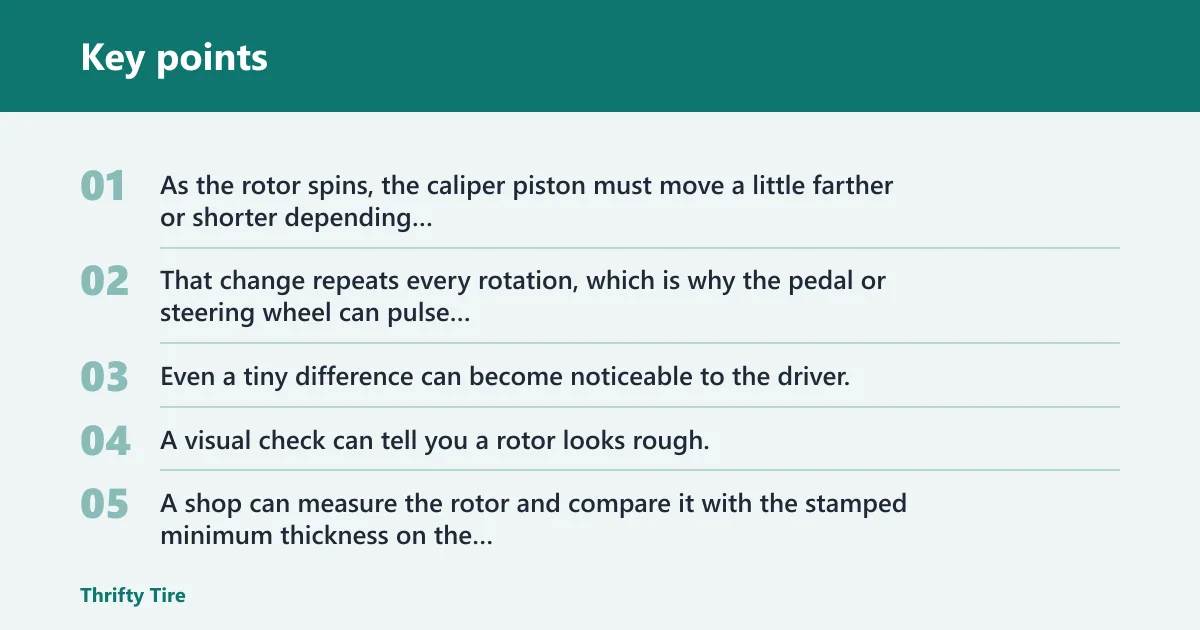
As the rotor spins, the caliper piston must move a little farther or shorter depending on the thickness at that point. That change repeats every rotation, which is why the pedal or steering wheel can pulse during braking. Even a tiny difference can become noticeable to the driver.
Why a shop measurement matters
A visual check can tell you a rotor looks rough, but it cannot confirm thickness variation. A shop can measure the rotor and compare it with the stamped minimum thickness on the rotor or in the vehicle information. If the rotor is at or below that minimum, replacement is the correct next step.
How do you know if your rotors need replacing? The most dependable sign is a combination of symptoms and measurement. If the rotor is thin, heavily grooved, heat-checked, or below the minimum spec, replacement is the right call even if the car still stops.
How to check if brake rotors are bad is simple in concept: listen for grinding, feel for pulsation, inspect for scoring and rust, then confirm thickness if the symptoms point that way. That order keeps you from replacing parts blindly.
Frequently asked questions
How to tell when brake rotors are bad while driving
While driving, the clearest signs are vibration or shudder during braking, a pulsating pedal, steering wheel shake, and longer stopping distance. Those symptoms do not prove rotor failure by themselves, but they do mean the brake system needs inspection soon, especially if grinding is also present.
How to know if your rotors are bad without removing the wheel
You can often see enough through the wheel to spot grooves, rust pitting, blue spots, and heavy edge lip. That is enough to decide whether a shop visit is needed. If the view is blocked or the symptom is mild but repeated, removing the wheel gives a better check.