Brake Rotors: What They Do and When to Replace Them
Brake rotors are the discs your pads clamp to slow the car; replace them when they’re below the minimum thickness stamped on the rotor or when cracks, heavy scoring, or brake pulsation appear. Ignore bad rotors and stopping distances can grow, pads can wear faster, the steering wheel can shake, and a simple pad job can turn into calipers, hubs, or tires. This guide explains what rotors do, how they fail, and which checks tell you whether to keep driving, resurface, or replace.
What do brake rotors do?
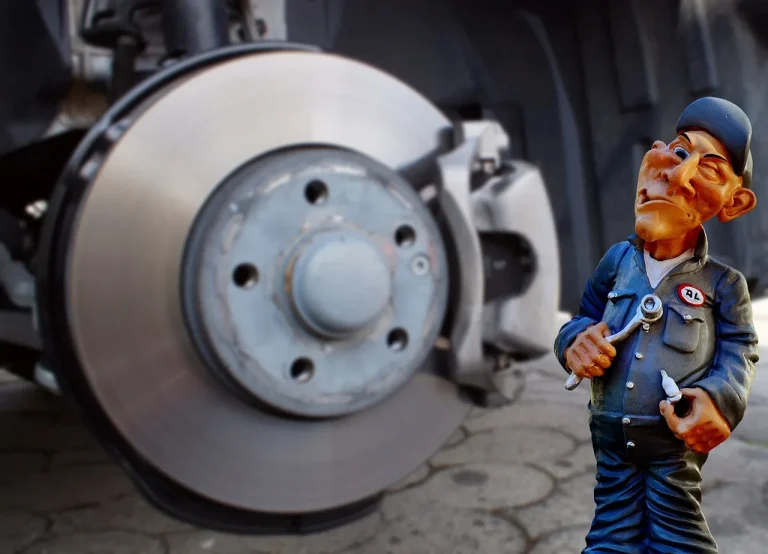
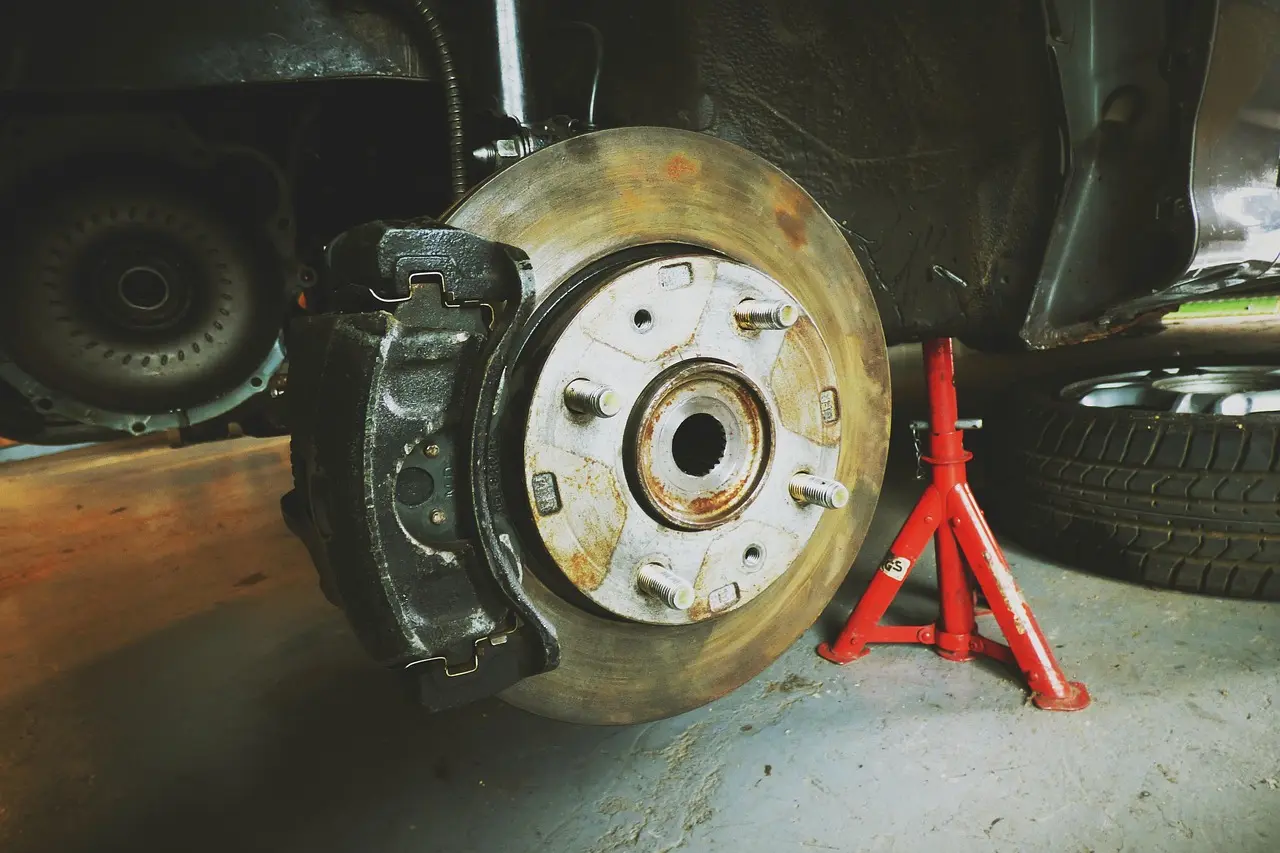
A brake rotor is the iron or steel disc bolted to the wheel hub in a disc brake system, and it is the surface the pads squeeze to slow the vehicle. Rotors absorb and shed the heat created during braking, so their condition matters more than looks alone when you decide whether to keep driving, machine, or replace.
Where the rotor sits in the system
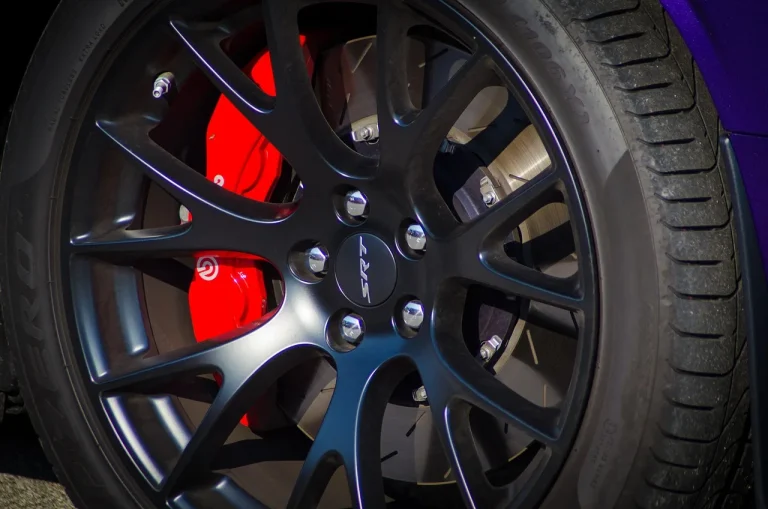
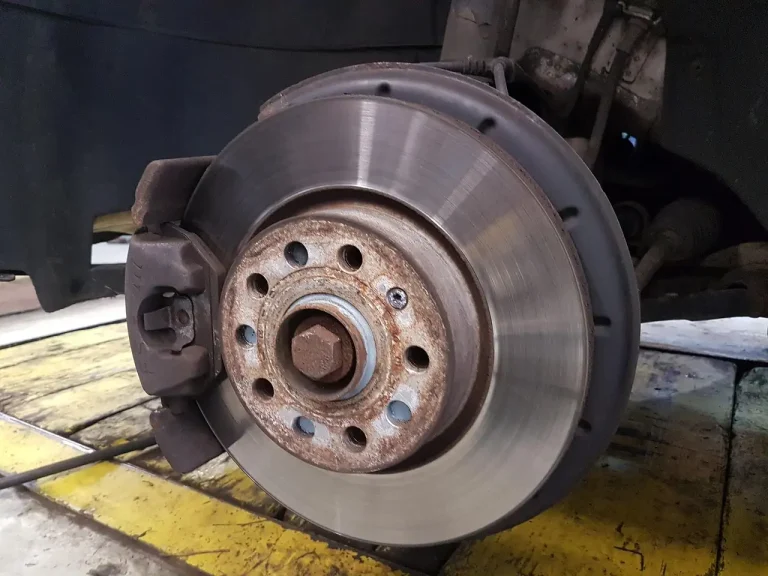
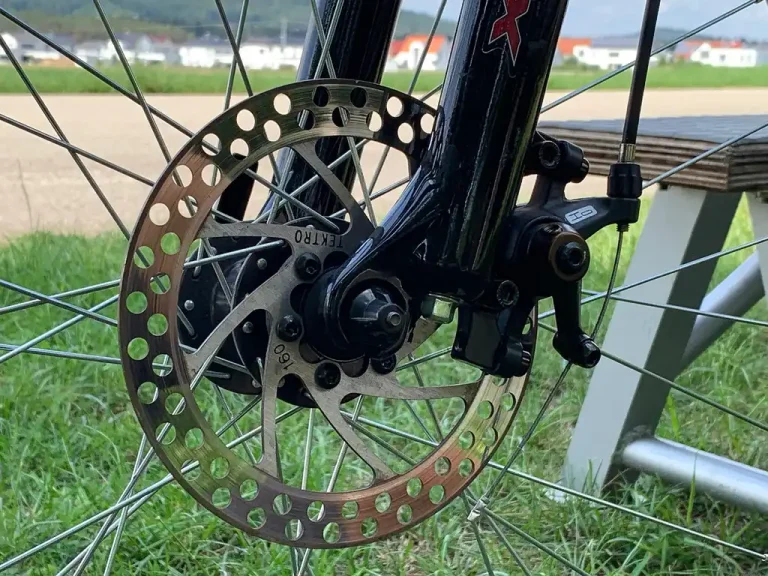
A brake rotor is a metal disc attached to a vehicle’s wheel hub. Disc brakes include a rotor, brake pads, and calipers. Most new cars today use disc brakes on all four wheels or on the front wheels only.
The quick contrast with drum brakes helps here: disc brakes slow the car by clamping a rotor, while drum brakes use shoes inside a drum. That difference is why rotor thickness, surface condition, and heat marks matter in a way drum-brake hardware does not.
How pads and calipers create braking force
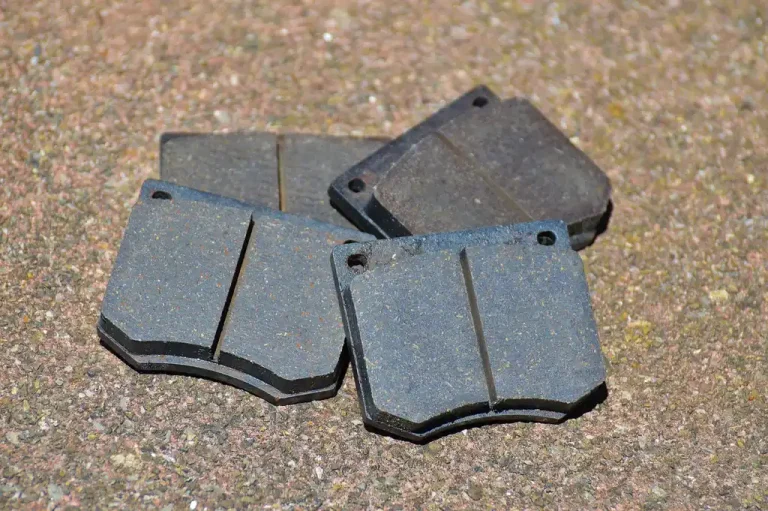
Brake pads squeeze the rotor when brake pedal pressure activates the system. The caliper houses the pads and uses piston force to clamp both sides of the rotor. That friction turns vehicle motion into heat.
When everything works as it should, the pad face contacts the rotor evenly. If the caliper sticks, leaks, or seizes, pressure can stay uneven or constant. That can overheat one side, wear one pad much faster than the other, and leave the rotor discolored, scored, or noisy.
Why front and rear rotors can wear differently
Front brakes usually do more of the stopping work, so front rotors often see more heat and faster wear. Rear rotors still need their own decision. Rust scaling, sticking rear calipers, and parking-brake hardware on some rear-disc designs can ruin a rear rotor even when the fronts still look serviceable.
That is why rotor replacement should not be decided axle-wide by habit alone. Each rotor needs its own thickness check, surface check, and hardware check.
How do brake rotors wear out over time?
Rotors wear in several ways at once: the braking faces slowly get thinner as pads sweep them, grooves can form from debris or worn pads, and repeated heat cycles can change the surface. The next step depends on measured thickness, surface damage, brake feel, and whether pads or calipers caused the wear.
Normal thickness loss and surface wear
Each stop shaves away a small amount of rotor material because the pads rub the same track again and again, so rotor thickness drops gradually in normal use. Pads usually wear faster, but the rotor is still a wear part.
Light circular marks are common. Deep grooves are different. If pad friction material gets too thin, the pad backing plate or embedded debris can cut channels into the rotor face. That changes pad contact area, adds noise, and makes new pads harder to bed in evenly.
Heat cycling, pad deposits, and hot spots
Every stop heats the rotor, then airflow cools it. Over thousands of cycles, that can leave pad material transfer, uneven friction patches, and hot spots. Squeaky brakes can happen when brake pad material transfers to the rotor.
Those deposits matter because the driver may feel them as a pulse or hear them as an intermittent chirp, even if the rotor is still above minimum thickness. A rotor can be thick enough to keep, yet still need resurfacing or replacement because the braking surface is no longer even.
How pad wear and caliper faults speed rotor damage
Worn pads and faulty calipers push rotor wear from gradual to expensive. A high-pitched screeching sound can signal worn brake pads and rotor damage. A dragging caliper can overheat one rotor, glaze pads, and create thickness variation that feels like warping.
Suppose one front wheel comes off after pad service and the inner pad is nearly gone while the outer pad still has useful material. That points to a slide or piston problem before it points to a bad rotor. If the root cause is missed, a new rotor can be damaged quickly.
Which symptoms point to rotor trouble?
Rotor trouble usually shows up as noise, vibration, visible damage, or all three, but the symptom alone does not decide the repair. Light squeak after rain may be harmless, while grinding, repeated brake pulsation, or severe grooves push the answer toward prompt inspection and often replacement.
Squeal, squeak after rain, and when noise is less urgent
A brief squeak after overnight rain often comes from light surface rust being wiped off on the first few stops. That is usually a safe-to-inspect-later symptom if braking feel stays normal and the noise disappears quickly.
By contrast, a repeated high-pitched screech during ordinary braking can mean the pads are worn enough to threaten the rotor. Noise that stays after the brakes dry out, gets worse over several drives, or comes with pulling or heat at one wheel deserves an inspection soon.
Say your car squeaks backing out of the driveway after a wet night, then goes quiet by the second traffic light with no vibration and normal pedal feel. That points more toward light rust or pad transfer than a discard-now rotor.
Vibration or jitter during braking
Brake pulsation often feels like “warped rotors,” but the real cause can be uneven rotor thickness, pad deposits, heat distortion, hub runout, or a caliper that is not releasing cleanly. In plain terms, the driver feels a pulse in the pedal, a shake in the steering wheel, or a body shudder as the pads hit spots on the rotor that do not pass through the caliper evenly.
Do not blame the rotor first every time. Similar symptoms can come from uneven pad deposits, rotor thickness variation, hub runout, or a caliper that is not releasing cleanly. The decision still comes back to inspection: rotor thickness, surface condition, lateral runout checks when needed, and a look at pad wear patterns.
Grinding, deep grooves, and stop-driving warnings
Grinding often suggests the pad friction material is gone and metal may be contacting the rotor. It often means pad friction material is gone and metal is cutting into the rotor. At that stage, replacement is far more likely than resurfacing.
Visible grooves matter too, but depth and width matter more than the idea of a groove by itself. Shallow cosmetic marks may be usable if thickness remains above spec and braking is smooth. Deep scoring, heat spots, cracks, or heavy rust flaking near the swept area push the answer toward replacement.
Picture a rear rotor with a thick rust ridge on the outer edge and a narrow shiny band where the pad is barely touching. That is not normal wear. It suggests poor pad contact, often from seized slides, rust-jacked hardware, or a caliper fault.
Rotor decision table
| Symptom or measurement | Likely cause | Recommended action |
|---|---|---|
| Squeal during normal braking | Pad wear indicator contact, worn pads, or rotor surface damage starting | Inspect soon. Check pad thickness first, then rotor face for scoring or heat marks. |
| Squeak after rain that disappears after a few stops | Light surface rust or temporary pad material transfer | Usually safe to inspect later if pedal feel is normal and the noise clears quickly. |
| Vibration or jitter under braking | Heat-related rotor distortion, thickness variation, pad deposits, hub runout, or a sticking caliper | Schedule inspection soon. Measure rotor thickness, check surface condition, and inspect pads, calipers, and hub condition before replacing parts. |
| Grinding noise | Pad friction material worn through, metal-to-metal contact, severe rotor damage | Needs immediate inspection. Expect pad and rotor replacement, and check calipers for overtravel or seizure. |
| Visible grooves on the rotor face | Worn pads, debris, or uneven pad contact | Inspect the depth and measure thickness. Mild grooves may allow resurfacing; deep grooves usually mean replacement. |
| Rotor below minimum thickness | Normal wear, previous resurfacing, or accelerated wear from pad or caliper issues | Replace. Mechanics must replace rotors that fall below the manufacturer-required minimum thickness. |
| Safe to inspect later | Brief squeak after rain, no pulsation, no grinding, no pull, normal pedal feel | Keep driving for now, but include rotor checks at the next brake inspection. |
| Needs immediate inspection | Grinding, crack, severe pulsation, heavy scoring, wheel-specific heat smell, or obvious pad wear-through | Avoid delay. Continued driving can damage pads, calipers, hubs, and tires. |
How thin is too thin for brake rotors?
A rotor is too thin when it reaches the manufacturer’s minimum thickness, sometimes called the discard spec. Below that limit, replacement is required, not optional, because the rotor has less mass to absorb heat and less margin against cracking, distortion, and uneven braking.
Minimum thickness and discard limits
Mechanics must replace rotors that fall below the manufacturer-required minimum thickness. That limit may be cast into the rotor hat, listed in service information, or both. It is specific to the rotor design, so one vehicle’s limit does not transfer cleanly to another.
Minimum thickness matters because the rotor is both a friction surface and a heat sink. As it gets thinner, it heats faster and has less ability to stay flat under hard use.
Why thickness alone is not the only trigger
A rotor can still be above minimum thickness and still be the wrong rotor to keep. Cracks, severe heat spots, repeated pulsation, heavy grooves, rust scaling in the swept area, or very little remaining machine-to-spec margin can all make replacement the better call.
That last point gets missed often. If resurfacing would leave almost no usable life, paying to machine the rotor may only delay the next brake job for a short time.
Why measuring matters more than guessing
Rotors can look acceptable through a wheel and still measure too thin. Lip height at the outer edge can also fool a quick visual check. That is why thickness needs to be measured during brake service, not guessed from photos, noise, or mileage.
The most convenient time to check rotors is during a brake inspection. It is often difficult to inspect rotors well without removing the wheels.
Should you replace rotors with brake pads?
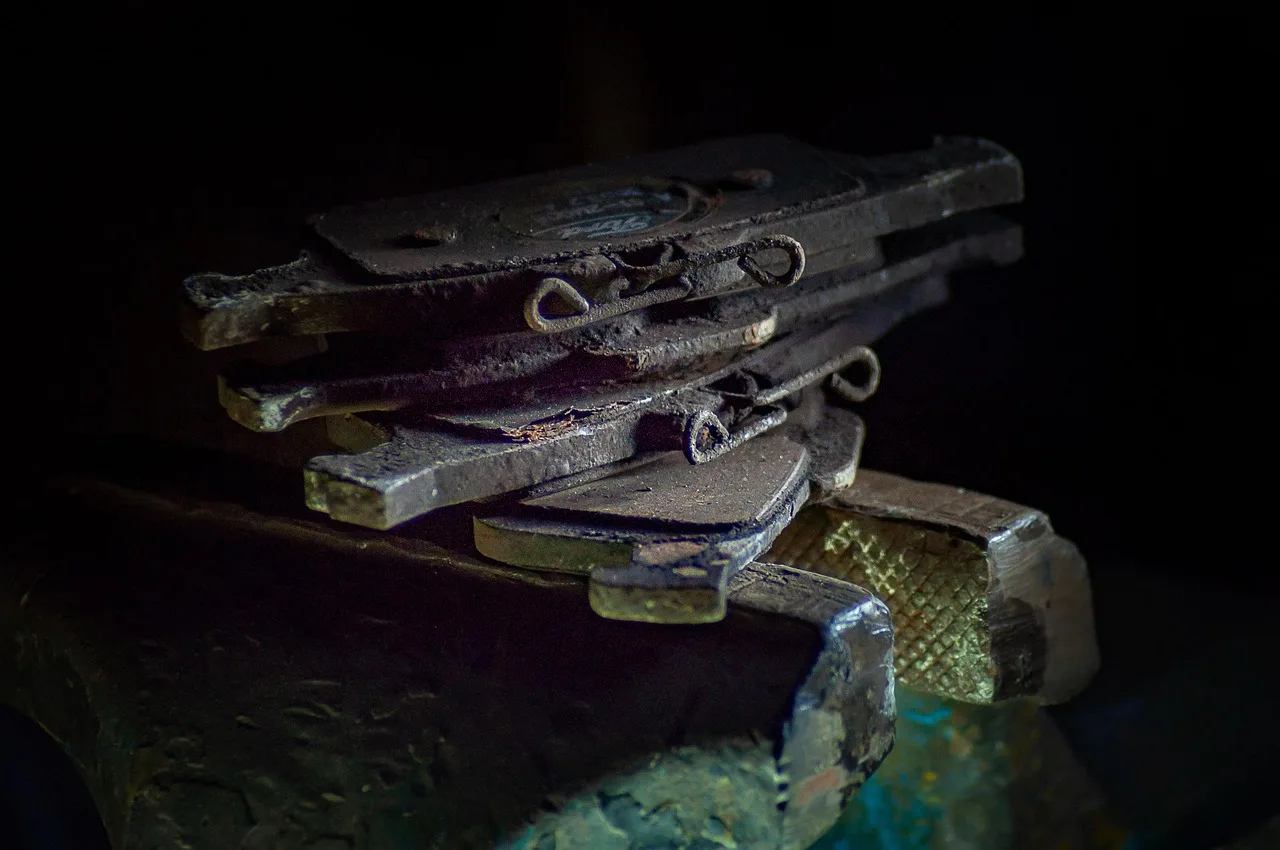
Rotors do not need automatic replacement every time pads are changed. The right call depends on thickness, surface condition, braking feel, and the condition of pads and calipers. Replace pads alone only when the rotor is thick enough, smooth enough, and free of damage that would spoil new pad contact.
When pad replacement alone is reasonable
Pad-only service makes sense when the rotor is above minimum thickness, wear is even, there is no pulsation, and the braking surface is clean enough for proper pad bedding. Mild cosmetic marks are not the same thing as a failed rotor.
Brake pads often wear faster than rotors, so many cars go through more than one set of pads before the rotors need replacement. That said, the old rotor still needs inspection every time.
When new pads on old rotors create problems
Fresh pads on a damaged rotor can mean noise, uneven braking, and fast pad wear. Deep grooves reduce contact area. Heat-spotted or deposit-covered rotors can make new pads grab unevenly. A dragging caliper can overheat the new parts almost immediately.
A common first-timer mistake is changing pads because the friction material is low while ignoring one seized caliper slide. The new pads may fit and the car may stop, but one rotor can overheat on the first long downhill drive and start pulsing again.
Front versus rear decisions during brake service
Front and rear rotors should be judged separately. Fronts often wear from heat and load. Rears often fail from corrosion, low use, or caliper and parking-brake problems. Replacing front pads does not automatically answer what the rear rotors need, or vice versa.
Pad and rotor service checklist
- Remove the wheels. A proper rotor call starts with full access. Looking through spokes can reveal major scoring or rust, but it usually cannot confirm thickness, inner-face condition, or pad wear balance.
- Measure rotor thickness. Compare the reading with the manufacturer’s minimum thickness. If the rotor is at or below that limit, replacement is the only sound choice.
- Inspect both rotor faces. Look for deep grooves, heat spots, cracks, rust scaling in the pad sweep, and uneven contact bands. Surface condition decides whether pad-only service will bed in cleanly.
- Compare inner and outer pads. Uneven pad wear points toward caliper slide or piston trouble. Fixing the hardware problem matters as much as deciding on the rotor.
- Check caliper movement. Slides should move freely and the piston should release normally. A sticking caliper can damage a good rotor fast.
- Decide by margin. If machining would leave little material above minimum thickness, replacement is usually the better long-term call than resurfacing.
Can brake rotors be resurfaced instead of replaced?
Resurfacing can fix some rotor problems, but only when the rotor is still thick enough and free of serious damage. Because machining removes material, the decision is really about remaining margin: a rotor that can be cut is not always a rotor worth cutting.
What resurfacing can fix well
Rotors can be resurfaced one or more times to extend life. Resurfacing removes material to create a fresh, more uniform braking surface. It can help with mild scoring, minor thickness variation, and some pad material transfer if enough thickness remains afterward.
Each resurfacing makes rotors thinner. That means the service only makes sense when the rotor will still end up comfortably above the minimum thickness and the rest of the brake hardware is healthy.
When resurfacing is a false economy
Machining a rotor that is already near its discard limit often saves little. The rotor may return to service but have limited heat capacity and limited remaining life. If new pads are going on and the rotor will soon be close to minimum thickness again, resurfacing can become an extra labor charge before an early replacement.
Repeated pulsation is another warning sign. If a rotor has already been corrected once and the vibration returned because of heat, hub runout, or caliper drag, cutting it again may treat the symptom, not the cause.
When replacement is the better call
Replacement is the cleaner choice when the rotor is below spec, badly grooved, cracked, heavily rust-scaled, heat checked, or likely to end up too thin after machining. It is also the better call when the vehicle sees hard mountain driving, towing, or repeated heavy braking where heat margin matters more.
What causes rotor vibration or warping?
Brake pulsation usually comes from uneven braking surfaces, but “warped rotors” is only part of the story. Excessive heat buildup is the most common cause of rotor warping, and similar symptoms can also come from pad deposits, thickness variation, hub runout, or caliper faults that make the rotor wear unevenly.
Heat buildup and thin rotors
Excessive heat buildup is the most common cause of rotor warping. Thin rotors run hotter because there is less metal to absorb and spread heat. Hard stops, long downhill braking, or a dragging caliper can raise temperatures enough to change braking feel and surface condition.
Once a rotor is thin, it has less reserve. That does not automatically mean it is bad, but it does mean it has less tolerance for abuse and less reason to machine again.
Pad glazing, material transfer, and thickness variation
Some brake pulsation blamed on warping is really uneven pad material on the rotor face. Glazed pads can leave patchy deposits. As those patches pass through the caliper, braking torque changes and the driver feels a pulse.
Thickness variation does something similar. If one part of the rotor is effectively thicker than another, the caliper piston moves in and out slightly with each revolution under braking. The pedal and steering wheel can telegraph that movement.
Hub runout and caliper problems that mimic bad rotors
A rotor does not sit and spin in isolation. Dirt or rust on the hub face, a hub issue, or improper wheel installation can create runout that feels like rotor trouble. A sticking caliper can also keep one pad dragging, overheating one section of the rotor and creating repeat pulsation after parts replacement.
That is why repeated vibration deserves a full brake and hub inspection, not just another pair of rotors.
Can you tell if rotors are bad without removing the wheel?
You can spot some rotor problems without wheel removal, but not the most important measurements. Obvious grooves, cracks, heavy rust, or blue heat marks may be visible through the wheel, yet inner-face damage, thickness, and pad wear balance usually require the wheel off and a proper brake inspection.
What you can see through the wheel
A quick look may show a rust ridge, a badly scored outer face, or discoloration from heat. You may also notice one wheel coated in brake dust compared with the others, which can hint at a dragging caliper or uneven pad wear.
Those clues are useful for urgency. They are not enough to confirm a keep, resurface, or replace decision.
What needs wheel removal or measurement
The inner rotor face often tells the real story. A rotor can look decent outside and be badly grooved or rust-scaled inside. Thickness also cannot be confirmed by eye, and minimum-thickness decisions need an actual measurement.
The most convenient time to check rotors is during a brake inspection, and it is often difficult to inspect rotors well without removing the wheels. That is especially true on vehicles with tight wheel designs or corrosion-prone rear brakes.
When an inspection should happen right away
If there is grinding, strong pulsation, pulling during braking, a burning smell at one wheel, or obvious scoring visible through the wheel, move the inspection up. Waiting can turn a manageable brake job into rotor, pad, and caliper work.
- Listen for pattern changes. Note whether the noise happens only when braking, only after rain, or all the time. A brief wet-weather squeak is a different signal from a constant grind.
- Feel for brake pulsation. During safe, moderate stops, notice pedal pulse, steering shake, or body shudder. Repeated vibration under braking moves the issue out of the watch-and-wait category.
- Look through the wheel. Check the visible rotor face for heavy grooves, cracks, rust scaling, or blue heat marks. Treat anything severe as a reason for prompt service, not final diagnosis.
- Book a full inspection. Ask for rotor thickness measurement, pad wear comparison, and caliper movement checks. Those checkpoints decide whether the rotor can stay, be resurfaced, or must be replaced.
Frequently asked questions
What do brake rotors do on a car?
Brake rotors are the metal discs attached to the wheel hubs that your brake pads clamp to slow the vehicle. In a disc brake system, the caliper applies pressure, the pads squeeze the rotor, and the rotor absorbs and sheds the heat created during braking.
What are the signs that brake rotors need replacing?
Common replacement signs include a rotor that measures below minimum thickness, grinding noise, deep scoring, cracks, heavy rust scaling in the swept area, and repeated brake pulsation. Replacement is also the better call when machining would leave too little thickness margin to be worthwhile.
Do brake rotors need to be replaced with brake pads?
No. Rotors do not need automatic replacement with every pad change. Pad-only service can work when the rotor is above minimum thickness, has a clean braking surface, and causes no pulsation. Rotors should be replaced when thickness, damage, or brake feel says they are no longer a good base for new pads.